
Contact Us Today

We’d love to discuss how we can help your business grow with a new website or online marketing campaign. Quikclicks can help you:

  • Boost your website traffic & engagement
  • Outrank your competitors in Google
  • Increase website conversions
  • Increase sales online
  • Deliver ROI on your marketing budget

Fill in your details below for a free, no obligation consultation:
(Existing Quikclicks client and need help? Please email: support@quikclicks.com.au)


Setting up your Email accounts on an iPhone – New

This tutorial shows you how to set up your iPhone to work with your POP3 email account. For tutorials on setting up your Email on a Blackberry or other platforms, please see our other Knowledgebase Help Guides.

To Set Up Your E-mail Account on the iPhone

Step 1: Select “Settings” from your SpringBoard.
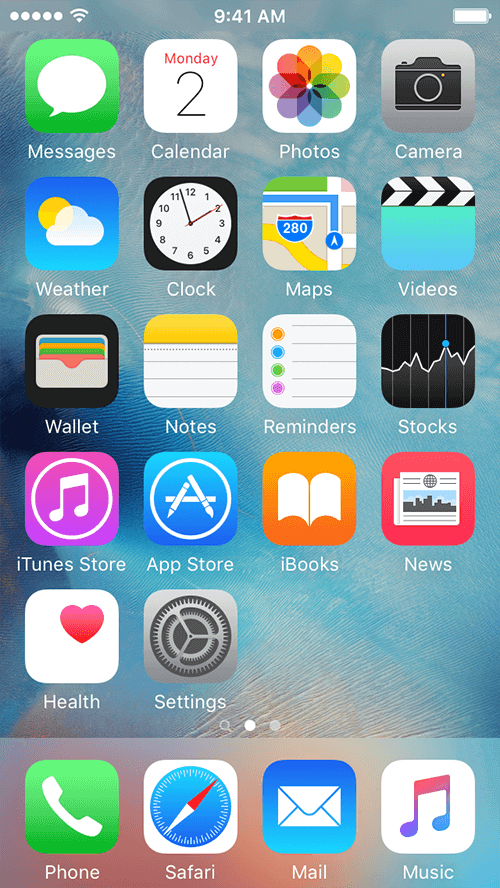
Setting up your Email accounts on an iPhone – New - screenshot 1

Step 2: Select “Accounts & Passwords” from the “Settings” menu.
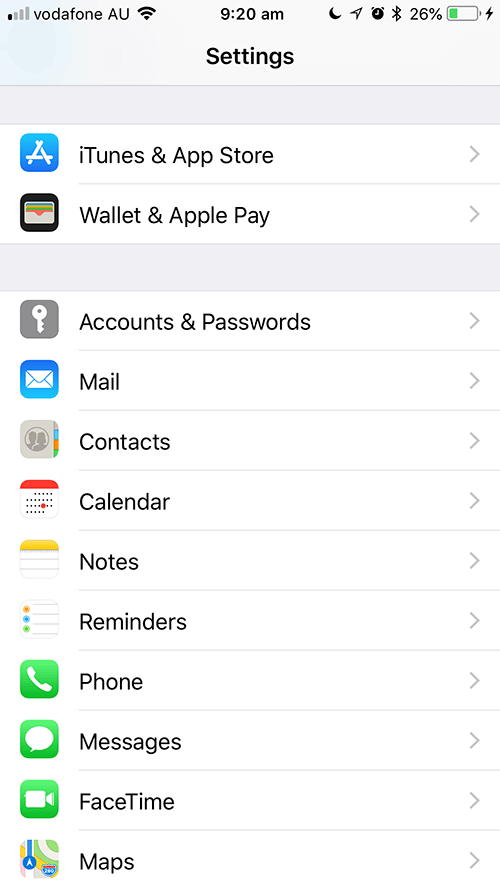
Setting up your Email accounts on an iPhone – New - screenshot 2

Step 3: Select “Add Account” from the “Mail” menu.
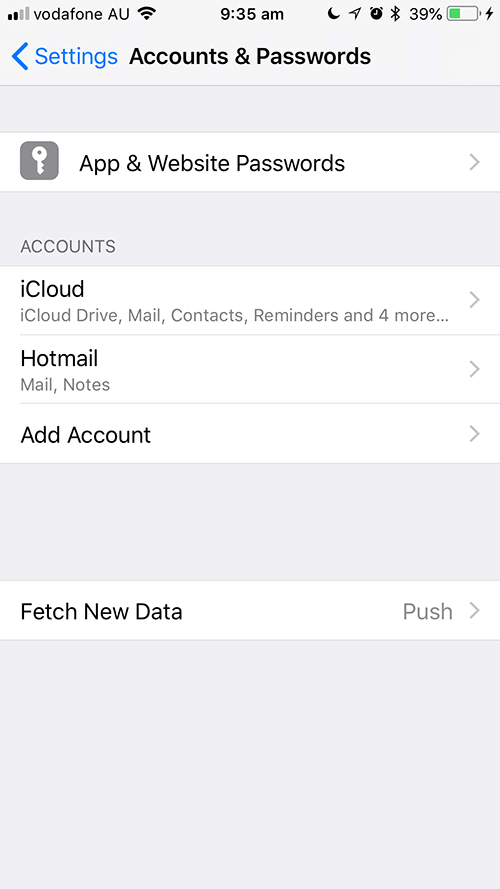
Setting up your Email accounts on an iPhone – New - screenshot 3

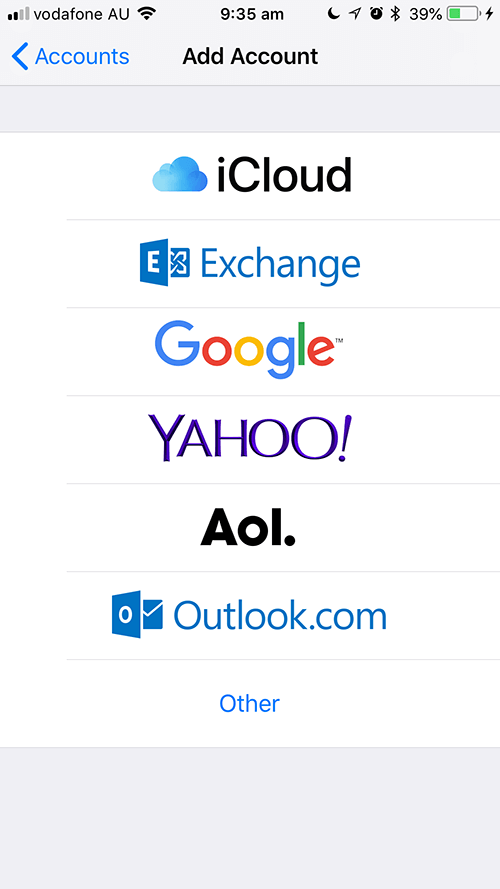
Step 4: Select “Other”.

Setting up your Email accounts on an iPhone – New - screenshot 4

Step 5: Enter “Name”, “Email”, “Password”, “Description”.
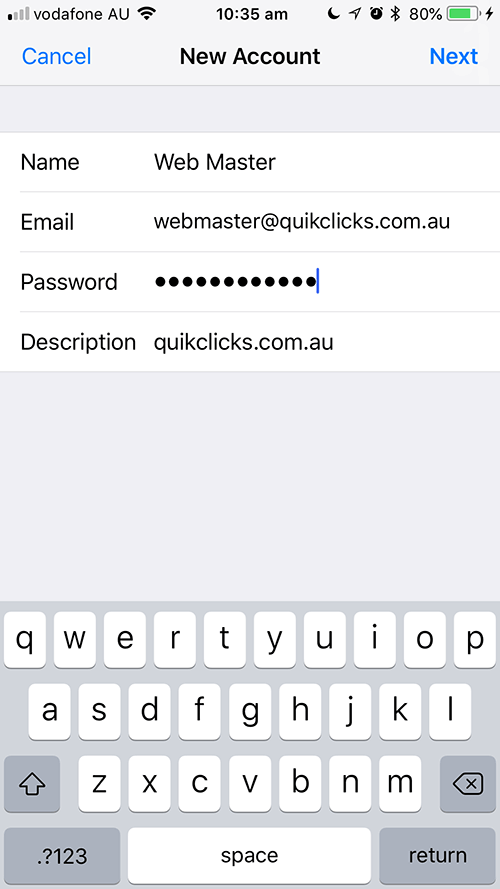
Setting up your Email accounts on an iPhone – New - screenshot 5

Step 6: Select “POP”. Enter “INCOMING MAIL SERVER” and “OUTGOING MAIL SERVER”. “INCOMING MAIL SERVER” should be same as “OUTGOING MAIL SERVER”. Click “Save”.
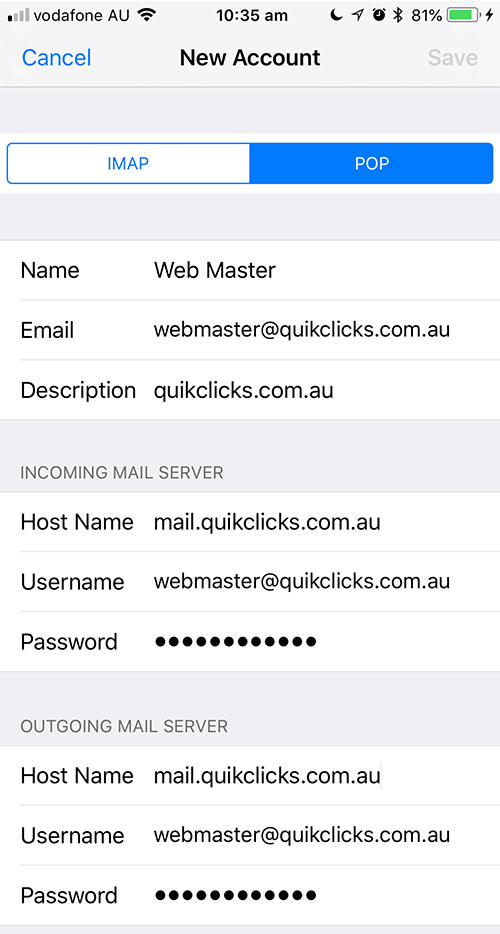
Setting up your Email accounts on an iPhone – New - screenshot 6

Step 7: You might see a screen below. Click “Continue”.
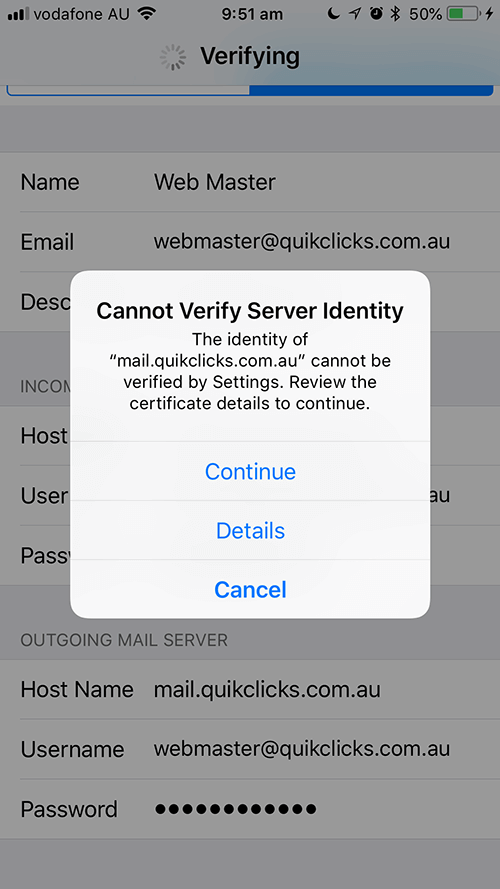
Setting up your Email accounts on an iPhone – New - screenshot 7

Step 8: Mail will then check your mail settings. It will verify your settings and add the email account. Now when you press Mail it will take you to your mail account.
Was this article helpful?

Free Consultation

Book in an obligation free call and we’ll share our expertise on whatever you need help with whether it’s web design, updates and support or marketing your business online.


Enquire now to find out more